Month: December 2025

Mains cord replacement on Black and Decker Super D500 turned into a bigger job

Introduction

The Black and Decker Super D500 is a 1.5 amp 250W drill dating from the 1960’s. Lots of these must have been made as they seem readily available on eBay with prices from £13. I inherited this one from my father, and it hasn’t been used in many years. I recall as a child being the ‘gofer’ for him while he installed central heating, and re-wired houses. I have seen this drill through timber, concrete, brick (including Accrington brick – eventually) and metals – aluminium and steel.

The orange outer insulator of the mains cable is starting to perish, and has broken as it exits the strain relief. I don’t believe it has ever been opened up since it left the factory.
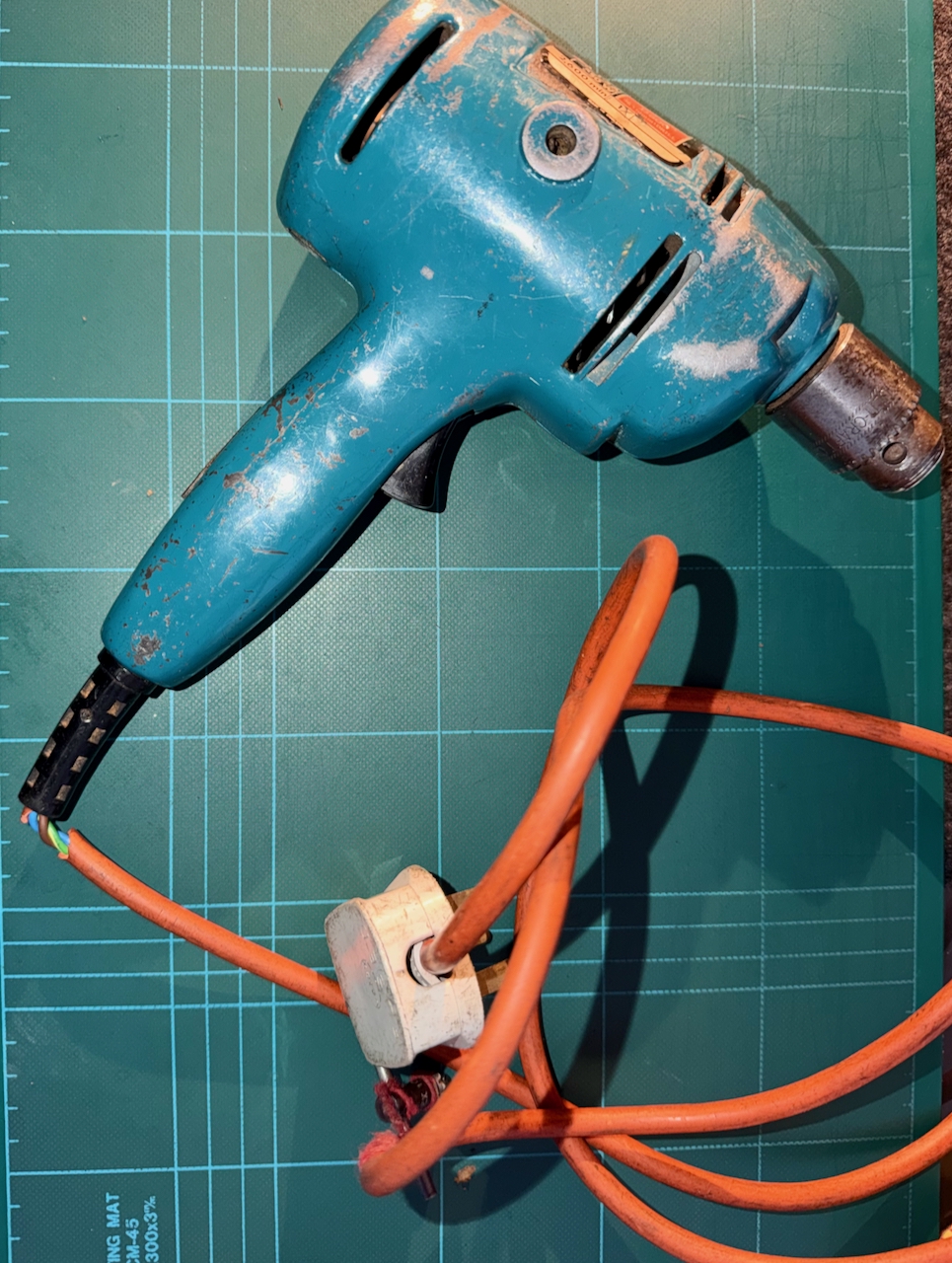
Black and Decker Super D500 drill, with broken outer insulation of the mains power cable.
Black and Decker Super D500 – Broken mains cable

To get inside, the two halves are fixed together by 8 equal sized screws. As the drill is opened up, we can see that every internal surface is thickly coated with compacted dust of all the material types I mentioned earlier – particularly it seams, red brick. It fills the gear area, and motor, everywhere.
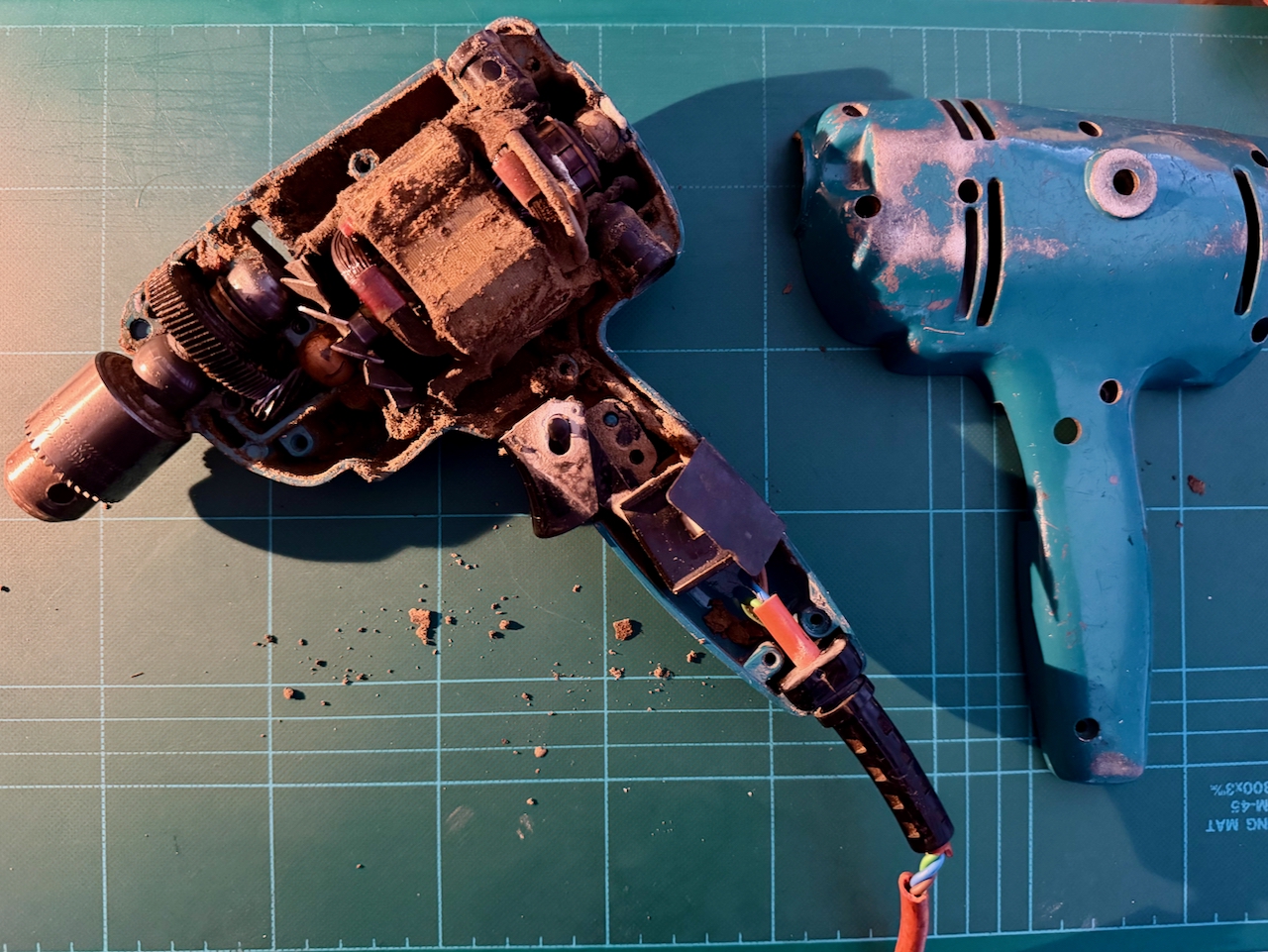
Black and Decker Super D500 drill. Cover removed, revealing inner chambers coated in dust from the materials drilled over the years.

To ease things, I cut the mains cord, and removed the components from the back shell. They all simply lift out with no additional fixings.
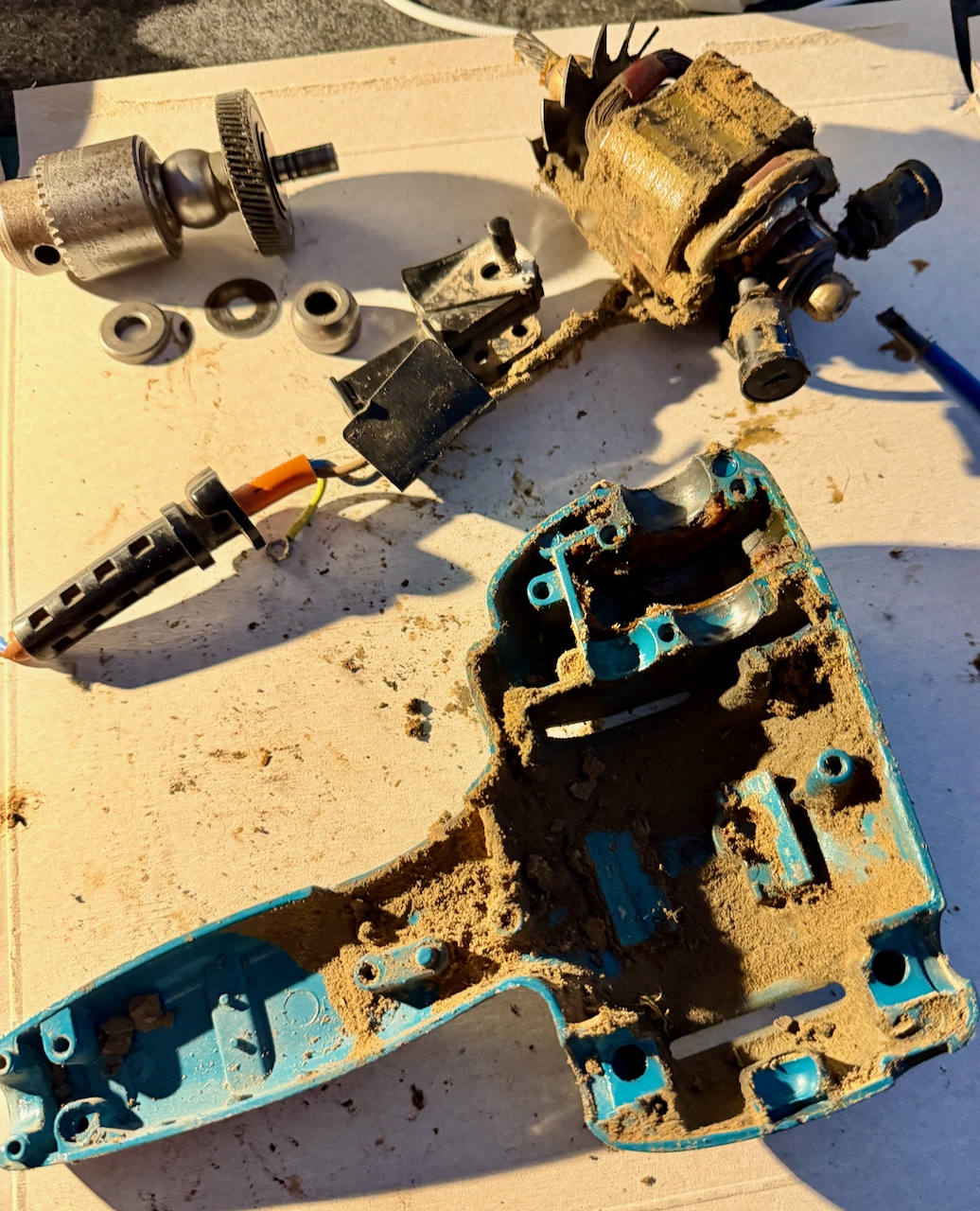
Black and Decker Super D500 drill. Components lifted out.

Then, first before dealing with the cable replacement, the clean up. A screwdriver to release the worst of it, then a good squirt of isopropyl alcohol to further clean the surfaces.

The compartment containing the gear from the motor shaft to the chuck shaft was full of old, sticky grease – mixed with the same dust. This was all scooped out and again further cleaned with isopropyl.

Taking care not to damage the wires, the dirt was cleaned from the motor, the brushes, the cooling blades and switch.
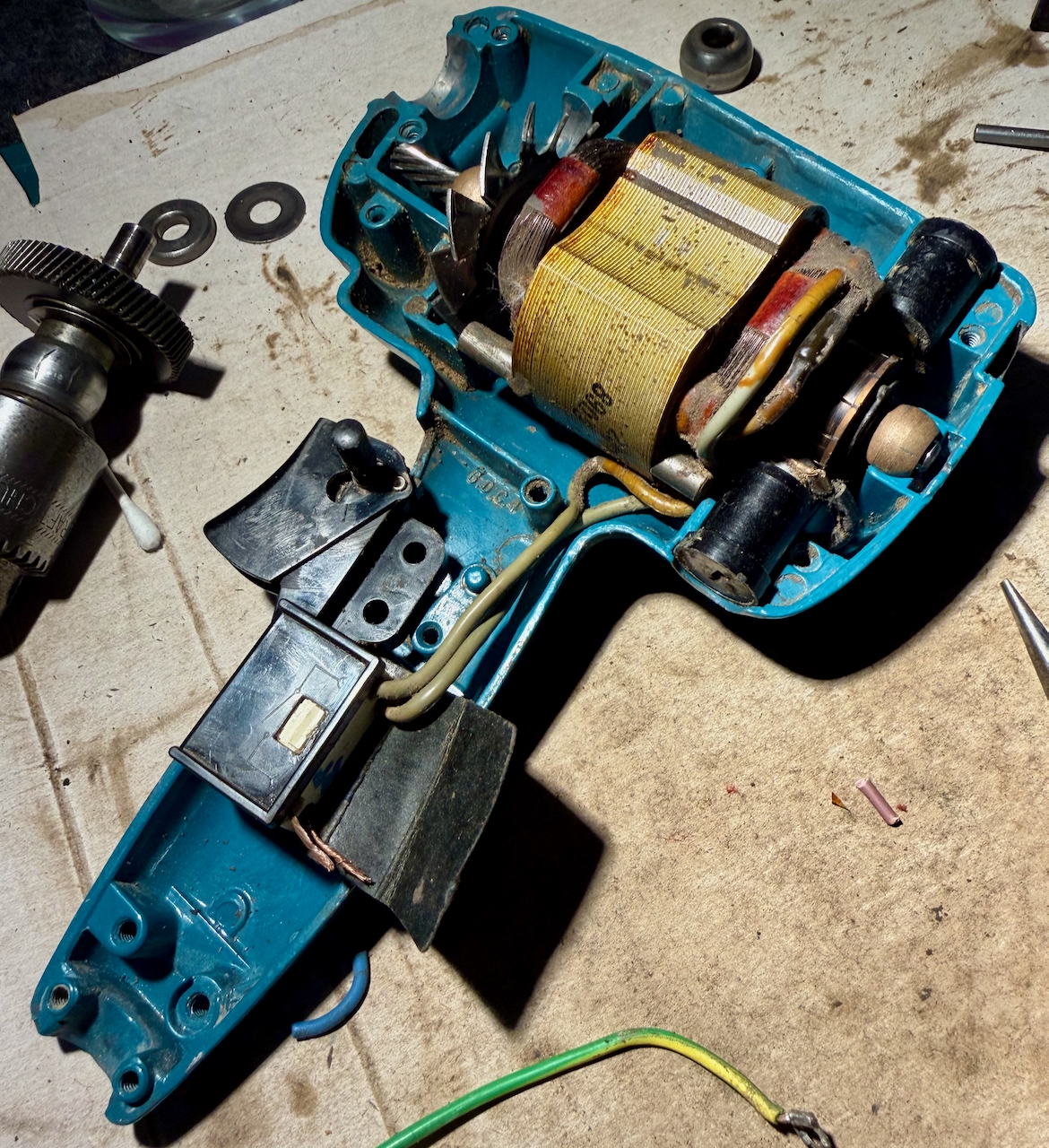
Black and Decker Super D500 drill. Internals roughly cleaned.

To re-use the strain relief meant removing the old cable. Very much easier said than done, as it felt very solidly stuck in there. First I cut it free from the other components, and pulled through each of the core wires, leaving only the orange sleeve. Since this was starting to perish, simply using long nose pliers pulled a bite out of the material, leaving the rest in place. I poked through the edge holes of the strain relief to try to separate the two materials. In what I think was a mistake, I cut through the thickest part of the relief, and eventually managed to pull the orange insulator free.
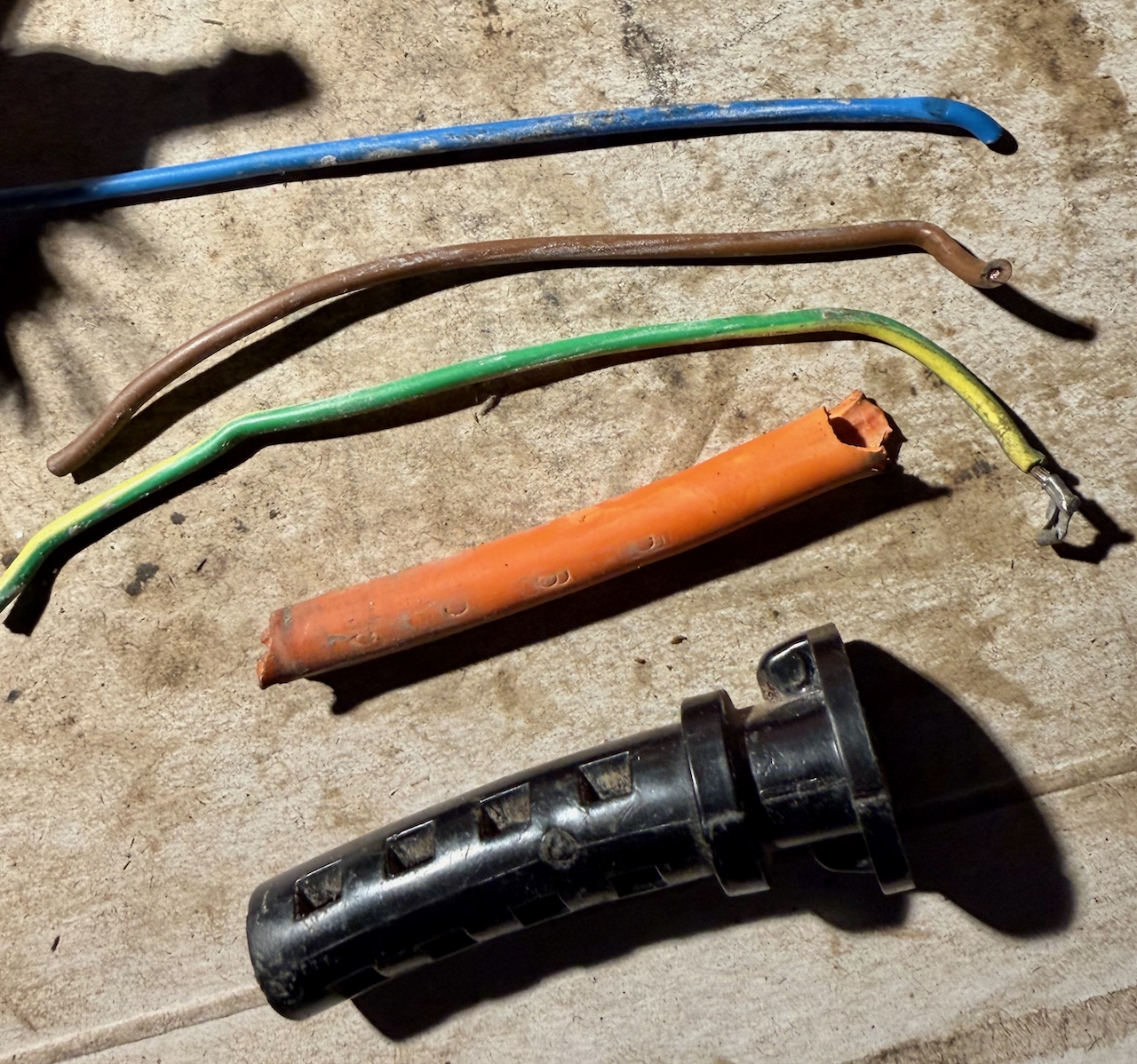
Removing the cable from the strain relief, first by removing the core wires, allowing the outer orange sleeve to be pushed away from its tight fitting to the black outer.

The new cable has a slightly smaller outside diameter than the original, and as we will see, it is important that the cable is gripped in-place by the strain relief. So, I gave it a few wraps of electrical tape inside the grip.

Connecting the new cable to switch RB1
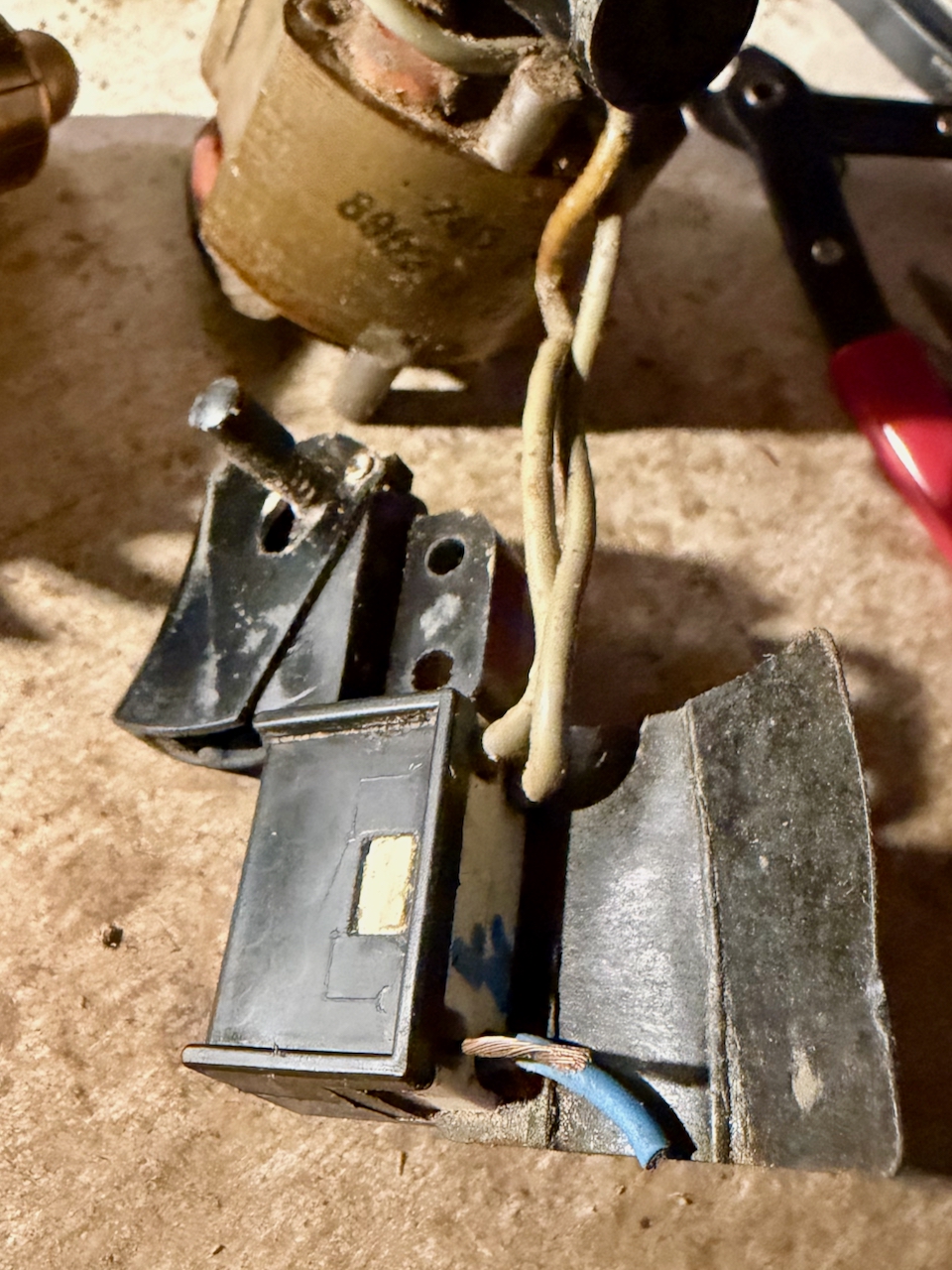
RB1 switch with stubs of the old cable, and wires to the motor brushes.

I found myself disassembling the switch entirely since I couldn’t see how the wires were screwed into the terminals. That’s because they are not – they just need pushing in. To get the old ones out, just push a small screwdriver alongside the old wire to free it from the grip. Then push in the new wires. I think it is better if the wires are twisted and tinned with solder.
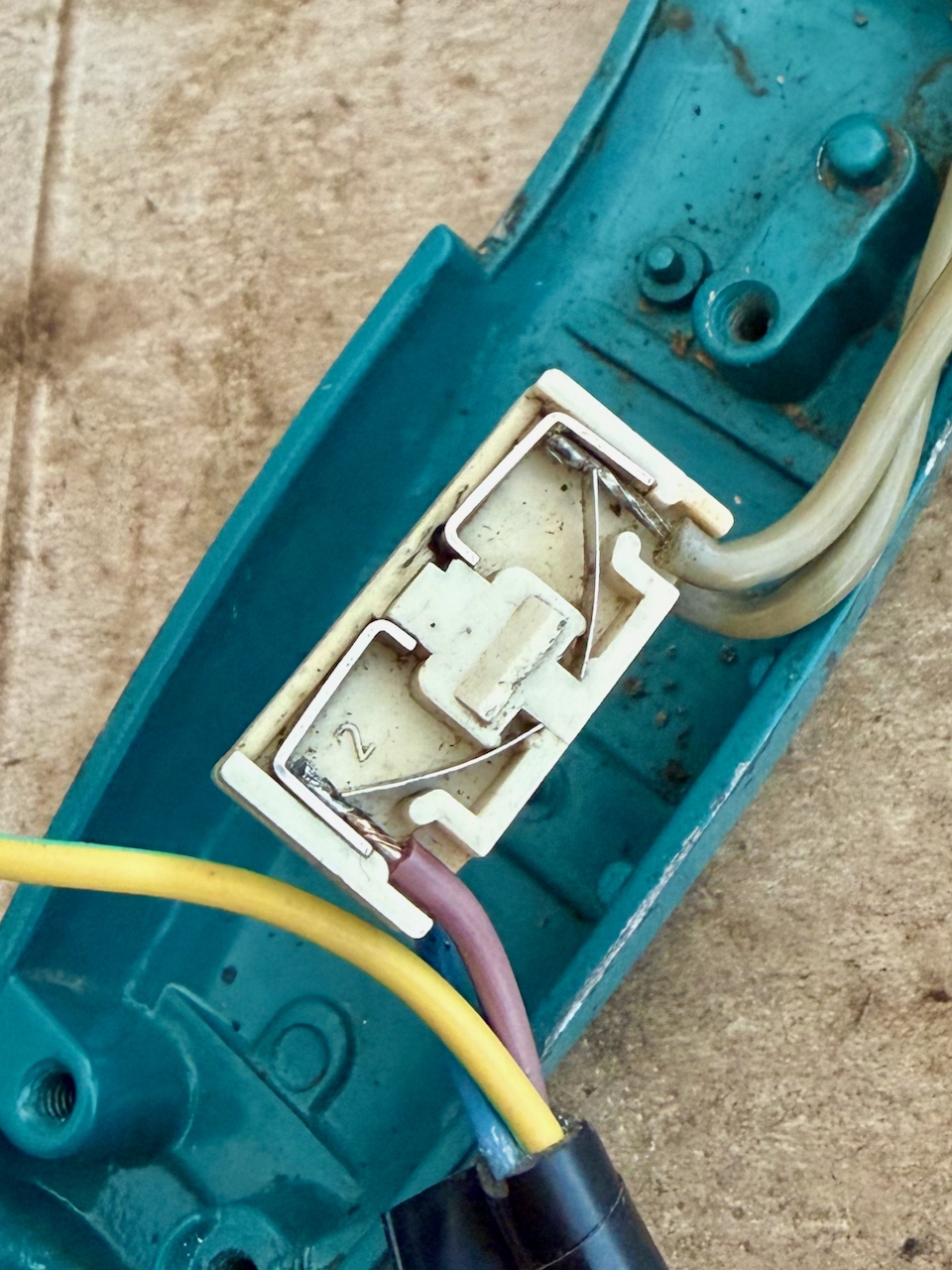
The screw-less, push-in mechanism of the RB1 switch.

Warning if you decide to disassemble the switch. It contains springs and very small parts that can launch in many directions.

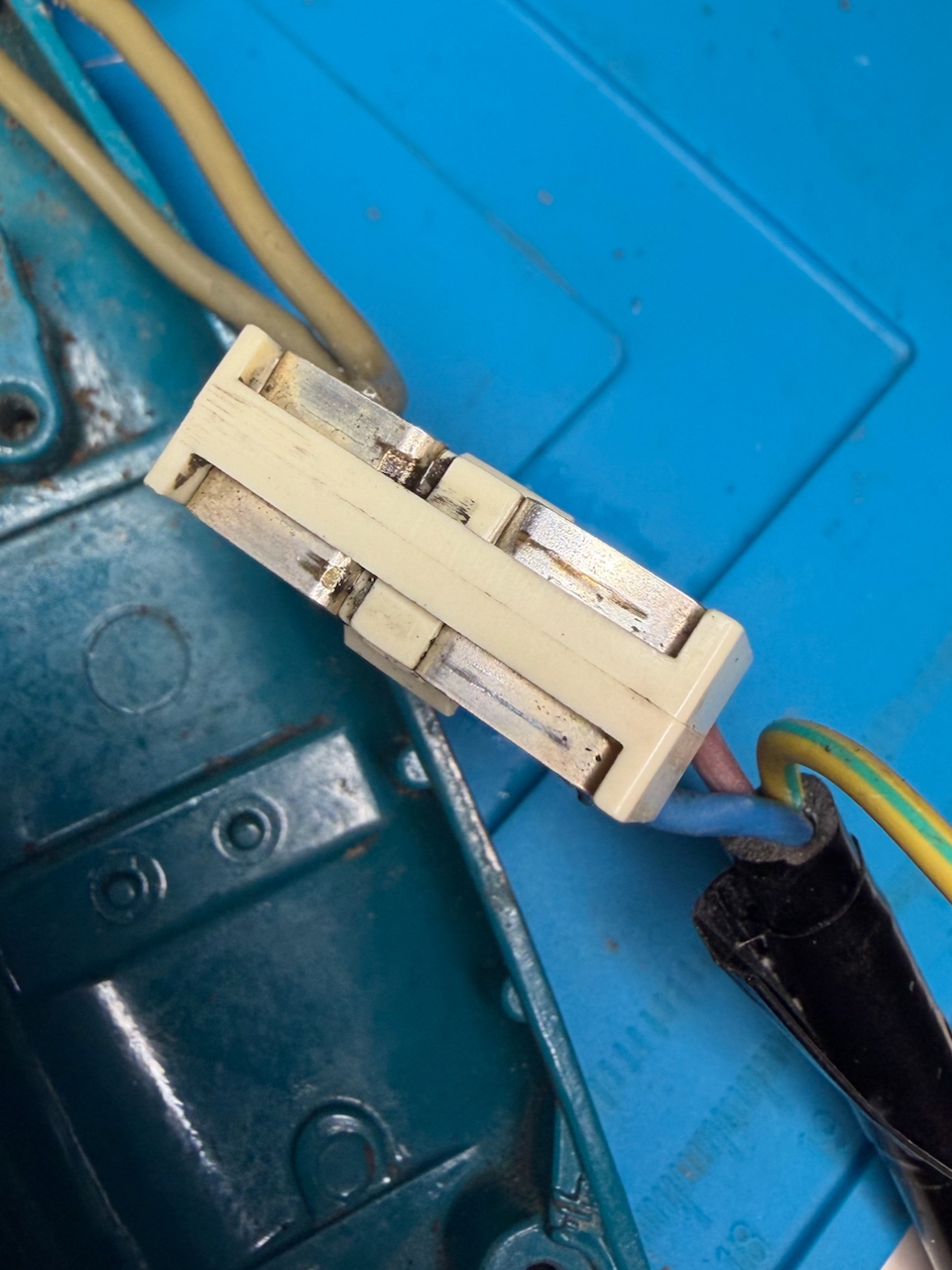
To separate the white connection block from the rest of the black switch, you can see that the white block has a lug each side. This does not move. To release the block, push a slim/small screwdriver between the outer shell and the block at the point of the lug. It is the outer black shell that must flex, not the inner white. Carefully pull out the white block, and be aware that the other parts are likely to fall or spring out.

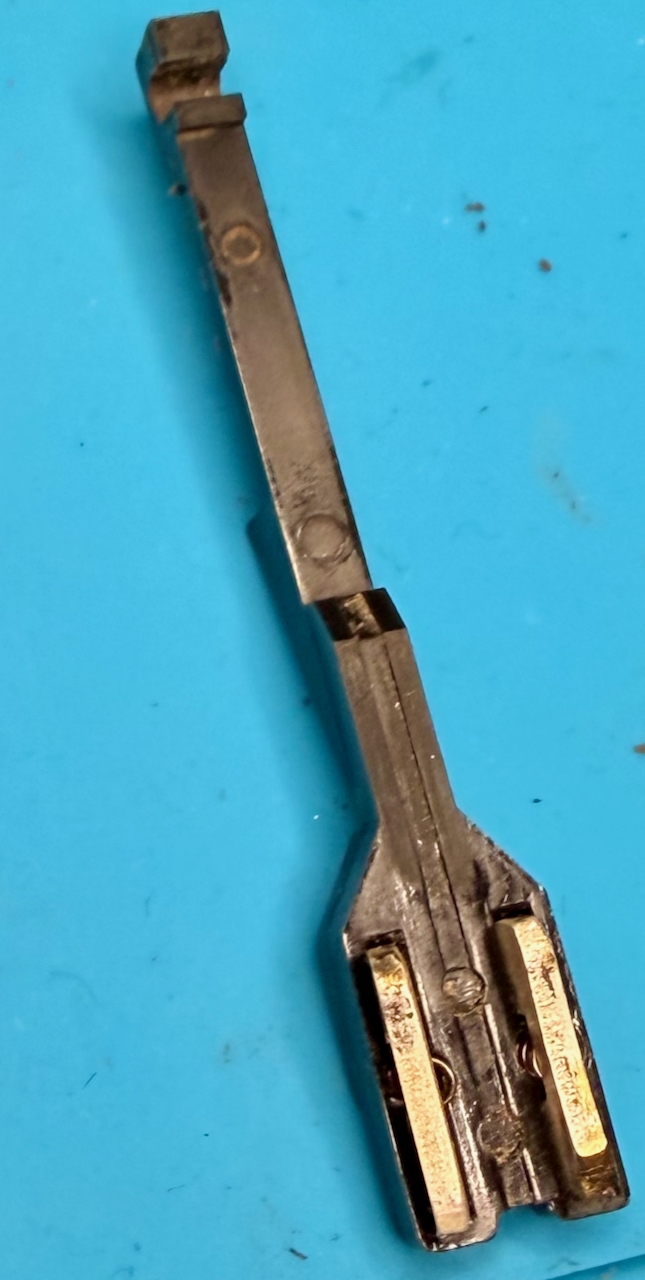
The black frame includes trigger and lock-on mechanism that I left in place, then the rest of the switch is made up of a sled with two spring-loaded contacts, that is pulled by the trigger to make the circuit. In my case I could see that one of the sled contacts was showing signs of wear possibly from arcing. On the reassemble I decided to make that the contact for the neutral rather than live.
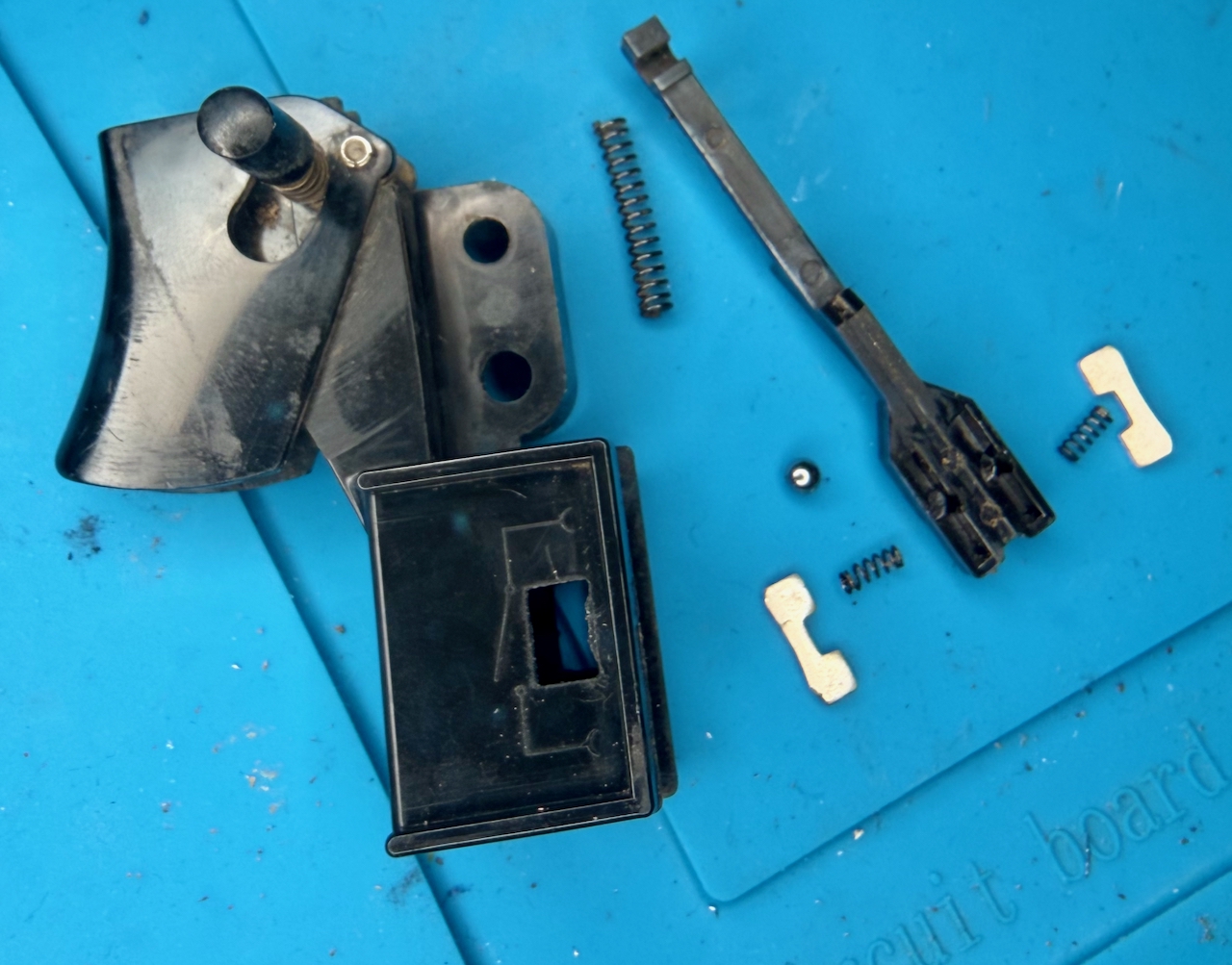
Components of the RB1 switch: The frame, including trigger and hold button; a sled which the trigger pulls against a large spring, over a ball bearing, and presses through the two smaller sprints, the metal contacts.

After cleaning, to reassemble, my steps were:

  • Place the outer frame on its back and drop in the large spring, and the ball-bearing into the square recess
  • Hook the sled with the trigger in the off position, and lower into the assembly, it should align such that the hole with the spring is over the ball bearing. Hold the sled in position without letting the bearing fall out of position and roll around
  • Into the top side of the sled, drop in the two springs and carefully place the contacts
  • keeping the sled in position, slide in the white contact block, along with the insulation wrapper (in my case I forgot the wrapper and rather than disassemble again, I secured it with electrical tape
  • Once assembled, use a continuity meter to test the switch in open and closed positions
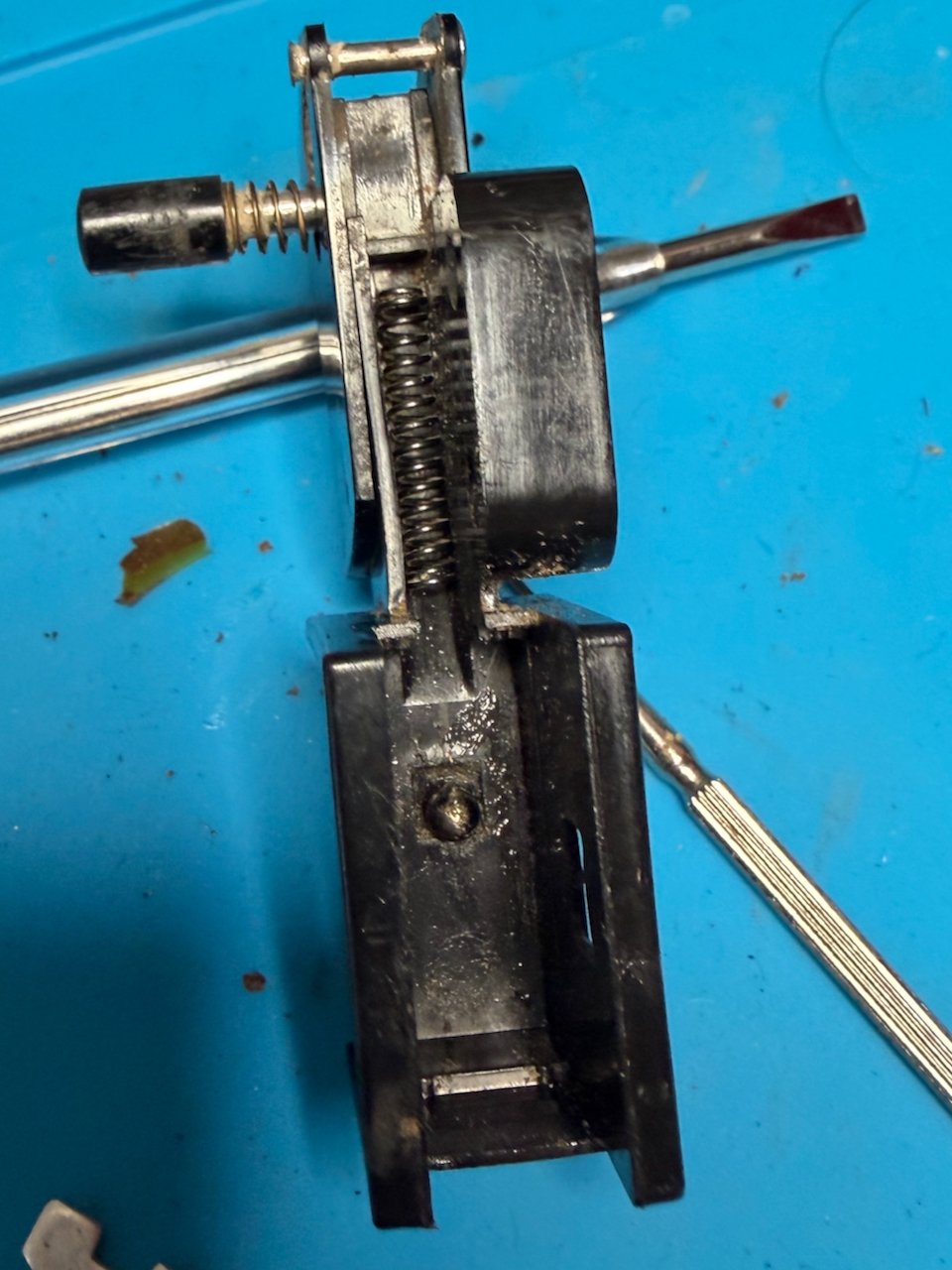
RB1 switch, outer frame on its back, with the large sprint and ball bearing in position.
RB1 switch sled, with contacts in-place, ready to be hooked into the switch frame over the large spring and ball bearing.
The white contact block clips into the black frame over the sled - and must be done such that the ball bearing remains captive in the recess underneath.

Reassembling the drill

A few drops of 3 in 1 oil in the bearings and the motor and and place all the components into the back shell of the drill.
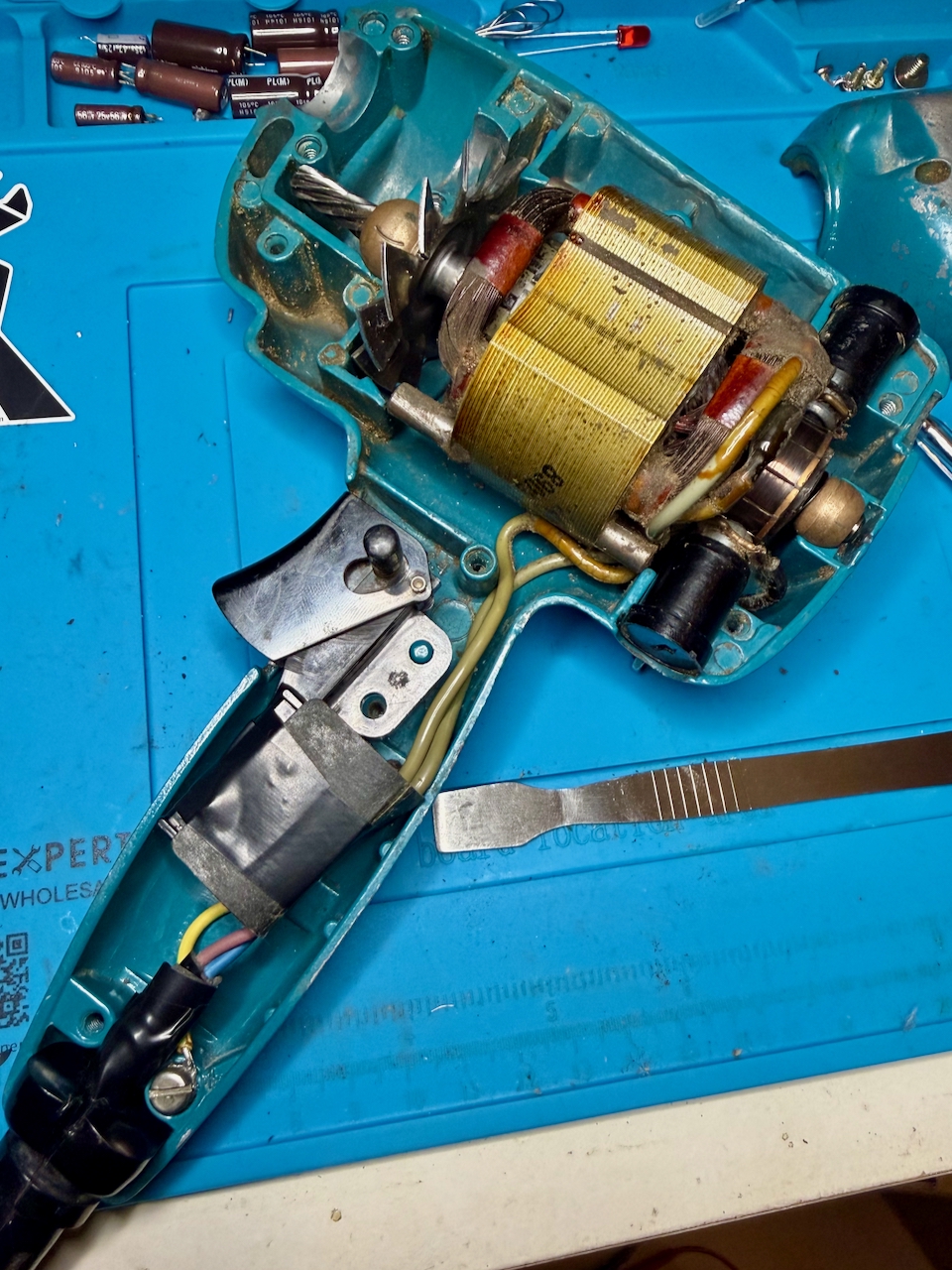
Reassembling the Super D500, showing the new cable connected, the earth connector secured.

Carefully secure the earth connection. There is a washer that I de-soldered from the old cable and soldered to the new before screwing to the metal shell.
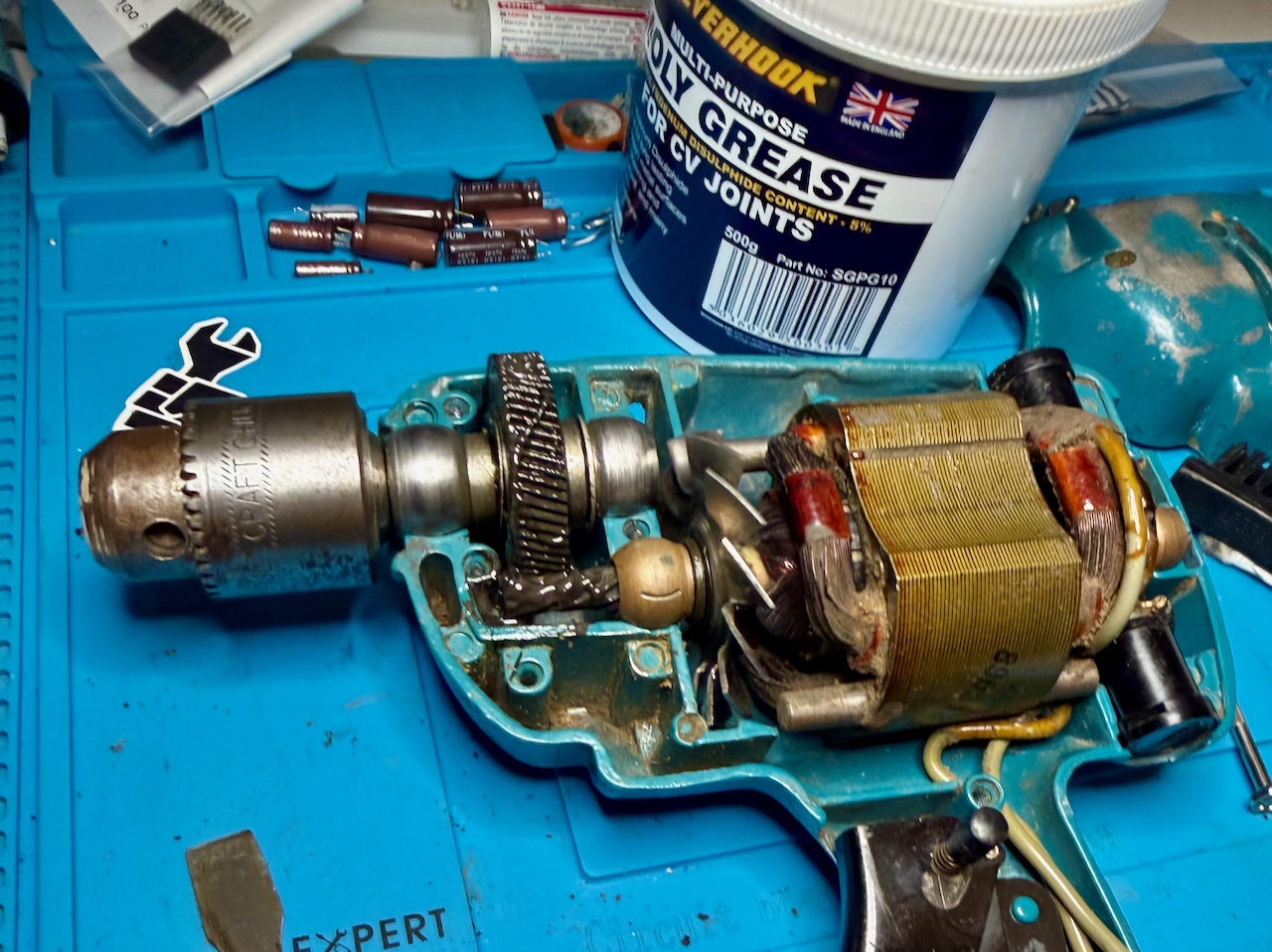
Greasing the main gear - all teeth of the drill.

Grease the main gear. I used a moly grease that was much less viscous, and needed less in quantity than the original grease – although I don’t know how much of that was through being old and contaminated. (I think I only used about 1g of the 500g tub.) Carefully rotate by hand to distribute the grease heavenly between the gears. I am not sure if this is the best grease to use for the long term, but this drill will only have light use for the rest of its time with me.

Ensure the carbon brushes are properly positioned. Then close the front shell, securing with the 8 screws.

Be sure to test before plugging into power:

  • There is excellent continuity between the earth of the plug and all exposed metal of the drill. (The shell where the paint has worn down; the chuck, the screws
  • Check continuity between live and neutral, that is open (no continuity) with the trigger in the off position and closed (continuity) when the trigger is pulled
  • Check that there is no continuity between any of the metal parts and live or neutral for the switch in both positions

Plug in, it should work, sound, and smell a lot better than it did before!
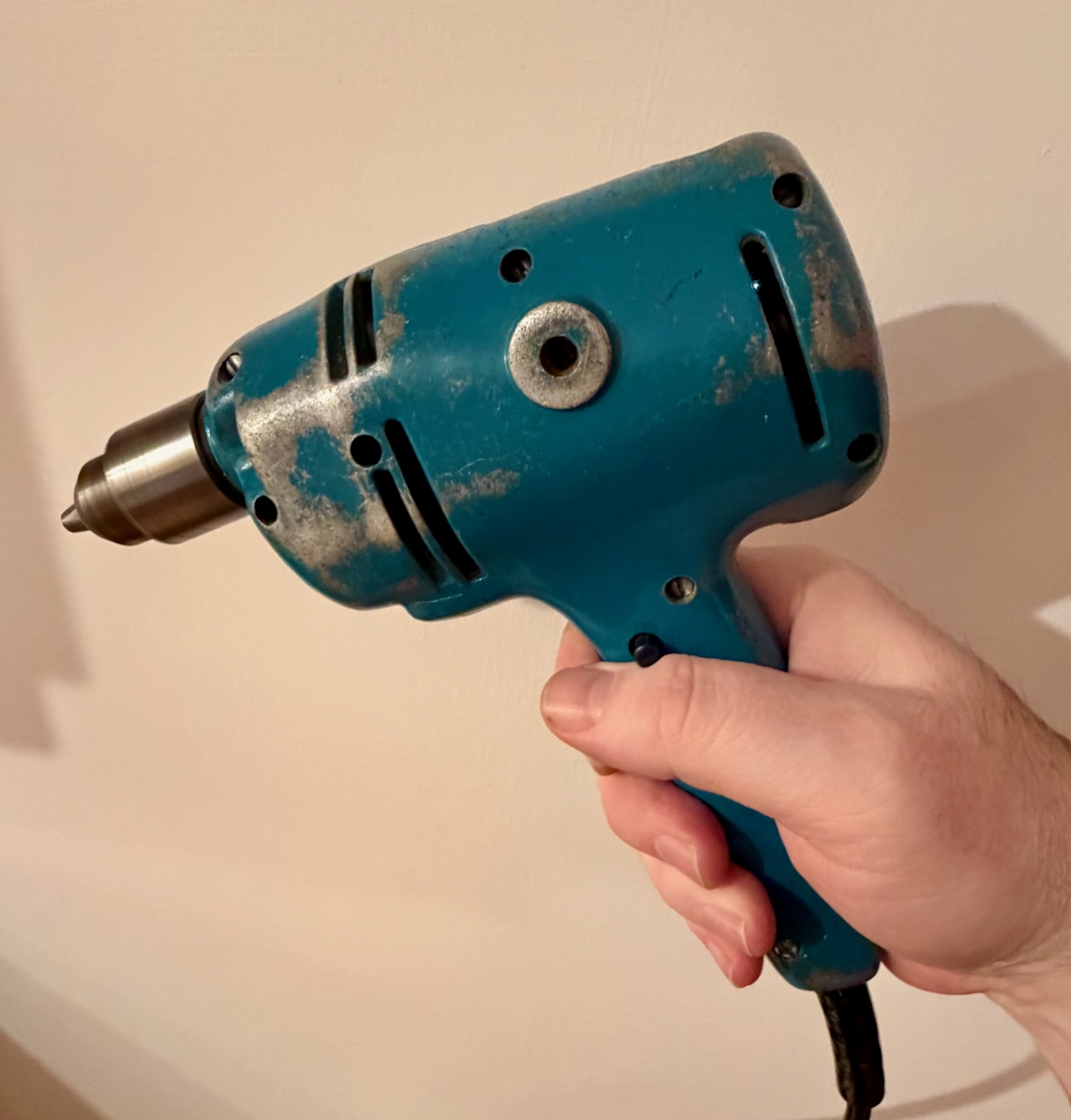
Cleaned up Black and Decker Super D500 running smoothly

Posted by creacog, 0 comments

Hot glue gun mains cable replacement

I started to work throught some basic repair jobs. One was to fix some plastic parts of my fridge that needed sticking back together. So out with the hot glue gun – though it hadn’t been used in over 30 years.. and BANG. A loud crack, and flash, and the hairs on my arm singed as the live and neutral had shorted at the strain releif. My own fault as I was aware the outer insulation was perishing.

To fix it, I found an unused lead that had the plug for another country. Cut off that plug, replacing with the one from the glue gun, and a fresh fuse. Then to actually install the cable. The case was made up of two plastic halves, extremely tightly clipped together. They suffered some cosmetic damager as I pried them apart.

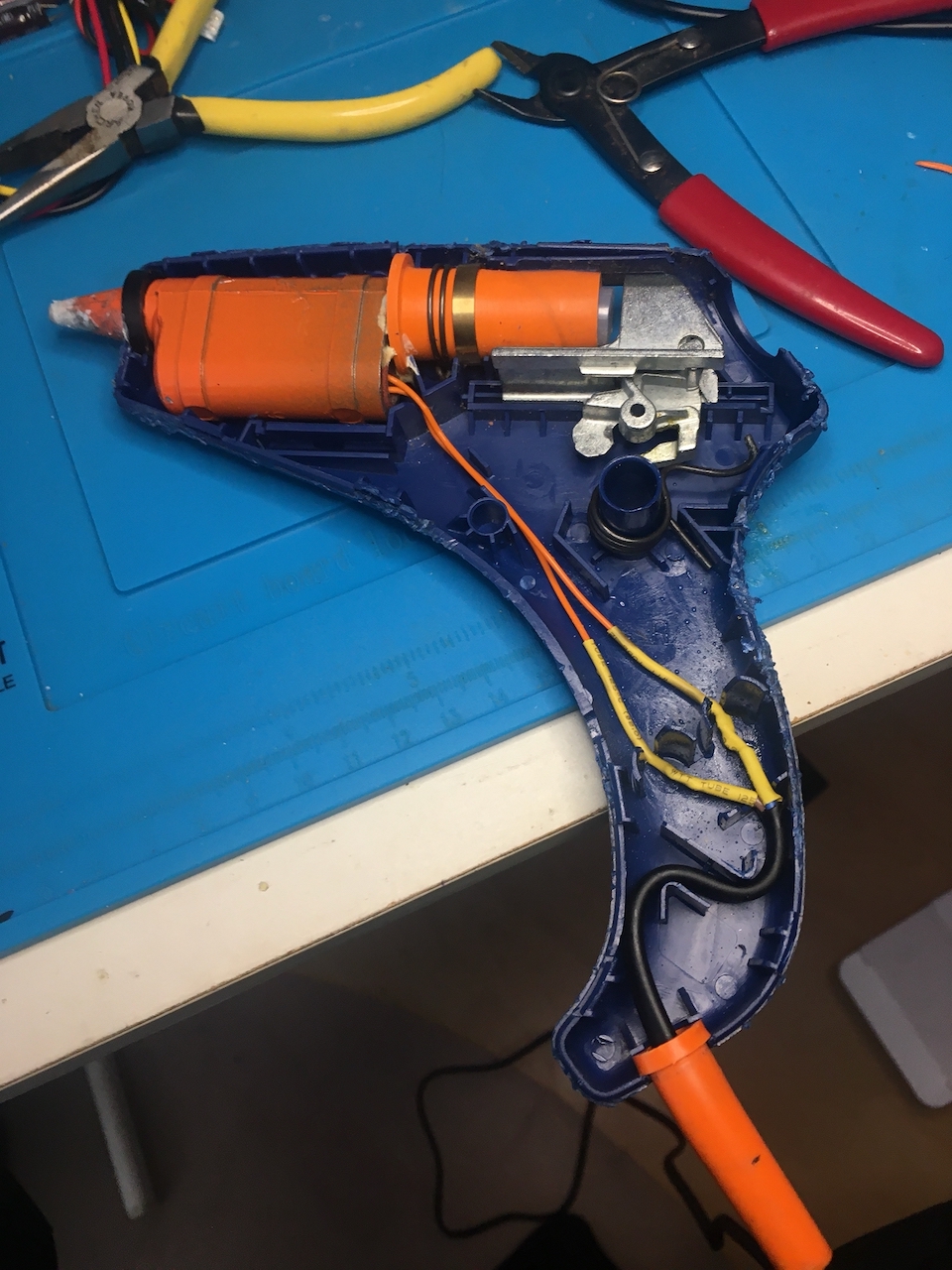
There is no switch. If it is plugged in it is on. From this point onwards it was a simple case of cutting the old cable out and retaining the strain releif, then soldering in the new cable and insulating with heat-shrink. The most difficult part was needing two pairs of hands to close the unit back together with spring of the glue loader keep hopping out of position.

Inside a hot glue gun from the 1980's following mains cable replacement.
Posted by creacog, 0 comments

The Crucial BX500 SSD was a mistake in my case

A couple of weeks ago when I replaced the blown Crucial MX500 SSD system drive in my iMac 5K 2019, I made what I now think was a mistake in choosing the Crucial BX500. I had read that the MX500 that I had been using for years was end of life, and I assumed the cheaper BX500 might be its replacement. But far from it.

The warning signs were that in recovering the system, it took an exceptionally long time, and frequently displayed the prohibited icon. This, despite knowing the correct system was installed on the drive.

Prohibited icon

I consulted Claude.ai in search of insight beyond the advice in the Apple support article. It asked the model of the drive being used:

Claude: What type of SSD is installed?

Me: it is a crucial bx500 ssd aftermarket, replacing a prior aftermarket ssd that had failed following a problem with the power supply board

Claude: That explains a lot. The Crucial BX500 is a budget SATA SSD that’s known to have compatibility issues with Macs, particularly with the boot process. Combined with your iMac’s power supply history, there could be multiple factors at play.

Claude: The BX500 issues with Macs:

  • Often has NVRAM/boot detection problems
  • The prohibited symbol cycle you’re seeing is a common complaint
  • Eventually boots but takes multiple attempts
  • Not officially Mac-compatible

Since at the time the only symptom I was aware of was the prohibited icon appearing on a cold boot, and not really wanting to spend more on this repair, I hoped I’d be ok only sleeping the system as a rule. After all, the restore had successfully written around 800Gb of data.

Unfortunately over the next weeks, more of the reported symptoms started to appear. Spinning beachballs, system slow-downs etc. These seem to happen when lots of small files are being written especially by browser activity and time machine back-up activity. One two occasions the system eventually crashed. Prior to using this drive it never crashed.

Claude suggested, after I told it MX500 was being phased out:

  • Samsung 870 EVO (widely recommended for Macs)
  • OWC Mercury Extreme Pro (Mac-specific)
  • Western Digital Blue SA510

I asked Claude for a comparison between the BX500 and the WD Blue 510

*** Claude start ***

Technology & Architecture:

  • BX500: Uses QLC (quad-level cell) NAND technology Best Buy, which stores 4 bits per cell, and lacks DRAM cache (uses Silicon Motion SM2258XT DRAMless controller) SSD TesterTechPowerUp
  • SA510: Uses Western Digital’s own 3D TLC NAND technology B&H Photo Video (3 bits per cell) with SLC caching that temporarily boosts write speeds B&H Photo Video

Performance:

Both drives advertise similar peak speeds:

However, sustained write performance differs dramatically:

  • BX500: After writing 25 GB, write speeds drop to around 100 MB/s TechPowerUp. In the 2TB model, after approximately 184 GB, write performance is throttled with average write speeds of 151 MB/s Best Buy. After filling 60% of volume, speeds can decrease to a very low 60 MB/s Western Digital
  • SA510: After approximately 54 GB, the pSLC-Cache was full with average write speed of 287 MB/s Product Chart – significantly better than the BX500’s post-cache performance

Reliability & Endurance:

  • BX500: Among the lowest endurance ratings on the market, starting at 40 TBW and spanning up to 120 TBW SSD Tester
  • SA510: 400 TBW endurance rating with a five-year warranty B&H Photo Video – over 3x better than BX500

Mac Compatibility:

  • BX500: Known issues with Macs, including write speeds hovering around 10-15 MB/s on iMacs even after fresh OS installations Tech Atlantix
  • SA510: Better general compatibility, fewer reported Mac-specific issues

Bottom Line

The WD Blue SA510 is the superior drive with better sustained write performance (287 MB/s vs 100-150 MB/s post-cache), much higher endurance (400 TBW vs 120 TBW), and better Mac compatibility. The BX500’s QLC NAND and DRAMless design make it struggle with sustained writes – exactly what you’re experiencing with your migration and speed tests.

For a 2TB upgrade in your 2019 iMac, the SA510 would be a significant improvement over your BX500.

*** Claude end ***

WD Blue SA510 SATA SSD 2TB

I was persuaded, and got hold of the WD Blue SA510. First using an external USB 3 enclosure, I repeated the system recovery and time machine recovery to that drive – taking at least 2 hours less time, and not seeing the prohibited icon once. The Black Magic Disk Speed Test showed consistent read and write of around 350Mb/second. With a few days operation and no slow-downs, spinning beach balls, or prohibited icons on a cold boot, I moved the drive to the internal SATA without issue, and there seeing writing consistently at 450Mb/s and read 483Mb/s. This time I have the confidence to re-stick the screen.

I do have a BX500 1TB in my PS4, and it has been working perfectly well there without any noticeable issue. Maybe this one will be ok as an archive drive – but not for anything requiring lots of sustained writes.

Posted by creacog

Hello iPhone 17 Pro

Time to bring myself back up to date.

The iPhone 6s served me well for just over 10 years with one DIY battery replacement and screen replacement. However, with major iOS updates stopping at iOS 15, an increasing number of apps no-longer support this old system.

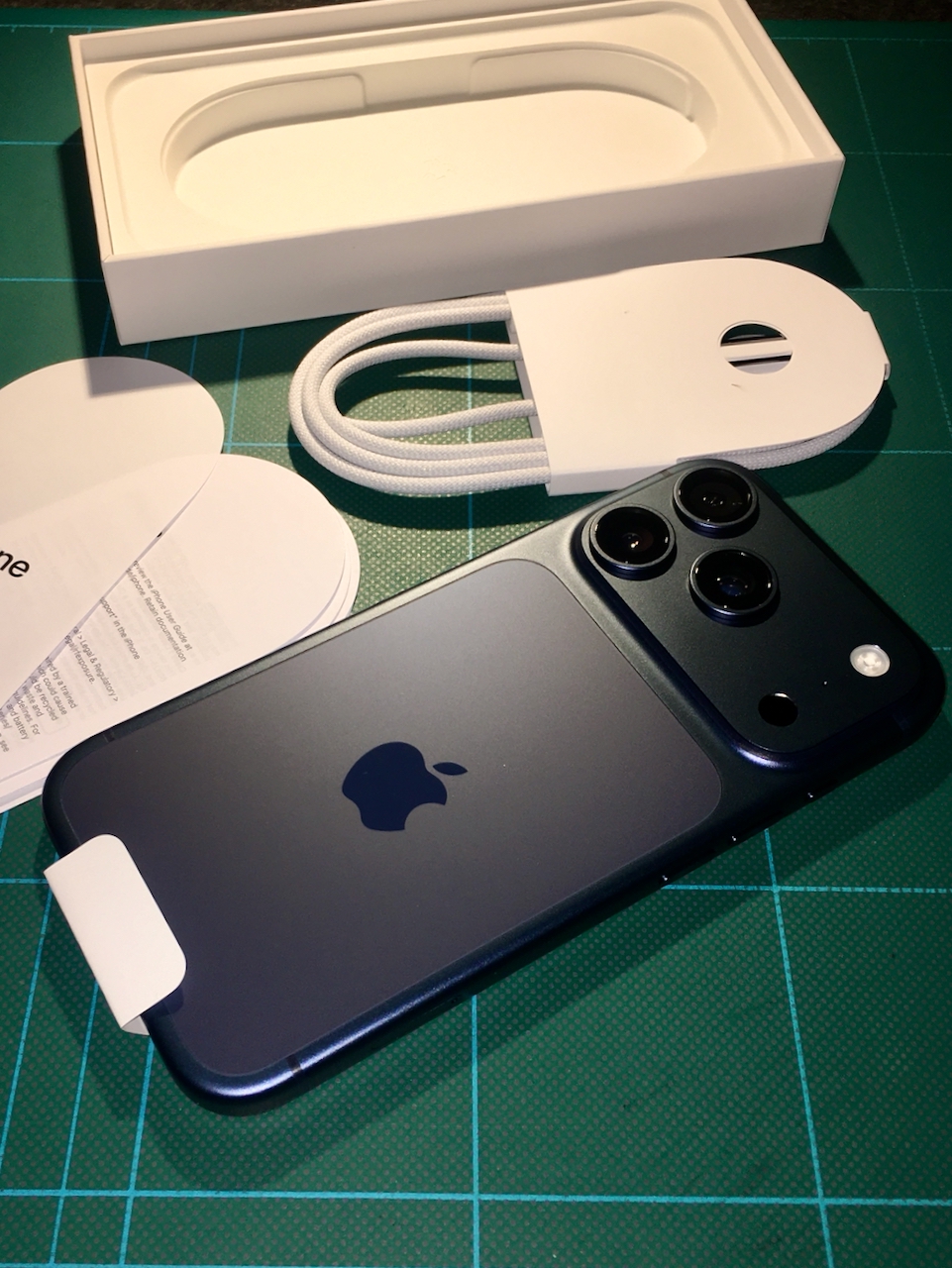
So, hello iPhone17:

First impressions:

  • Getting used to not having a home button and switching from finger print id to face id
  • Slightly larger width and height, but with much more screen-space, and many more pixels
  • Much thicker and heavier, but not quite so slippery – less easy to drop
  • Streaming video is handled far more efficiently, generating no device heat and barely denting the battery
  • Location services, especially when using the Maps app used to quickly kill the iPhone 6s battery, but not the 17

Posted by creacog in Apple, 0 comments